Contrail Inventory - Centralized Web-based Asset Tracking Tool
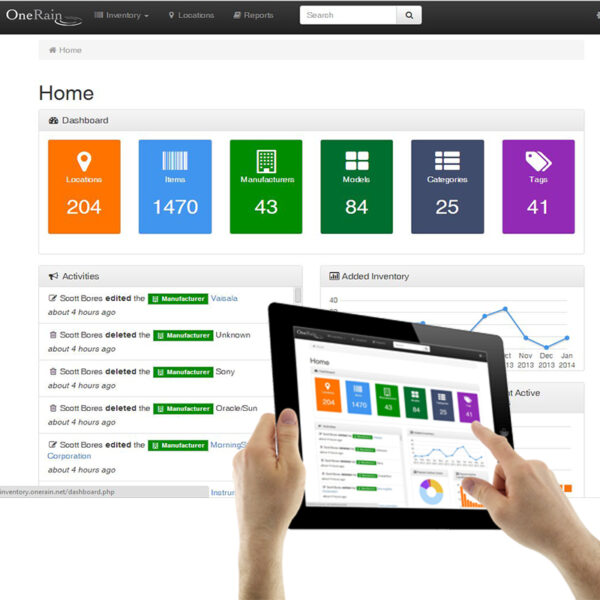
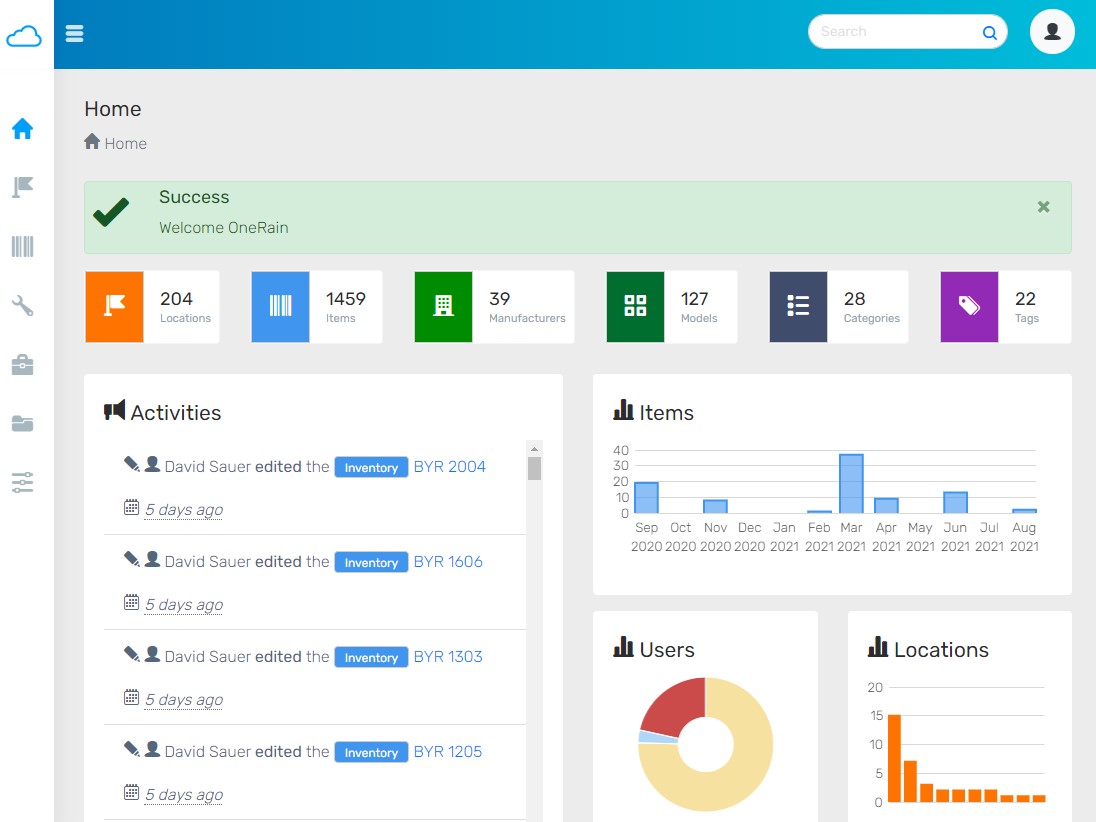
Contrail Inventory helps you manage and keep track of your gauge sensor network equipment and hardware via your desktop or mobile device from anywhere you have an Internet connection. Inventory is included as a configurable add-on module with the latest release of Contrail Base Station and is available as an optional add-on module for OneRain’s Contrail Web hosted solution.
Knowing all the relevant information associated with a gauge sensor--its location (GIS mapping), configuration, firmware, cables, spare parts, repair and maintenance records, etc., can be invaluable to your field maintenance operations. Contrail Inventory supports mobile data collection for your field service technicians and engineers to track and manage inventory in the field, and updates back to the centralized database.
Contact us today to arrange a free demonstration. Call 1-800-758-7246 or email contrail.support@onerain.com
|
Web-Based Inventory Tracking & Management
|
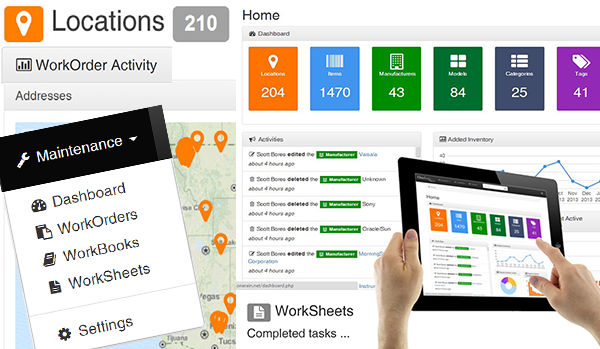
Mobile Inventory Supports Field Maintenance
|
|

|
 |
Web access via Desktop or Mobile: Easy to use interface provides flexible Desktop or Mobile access with secure login/password protection.
Add, manage and track all inventory located at each field site, including manufacturer, part numbers, serial numbers, and software/firmware versions loaded, cable lengths, etc.
Supports field maintenance efforts to know exact field configurations prior to visiting sites.
Site Location: Integrated postal addressing and geo-location mapping information to a location.
Image/Photo Upload: Images can be added to manufacturers, models, site locations, and inventory asset.
File/Document Uploads (.doc, .xls, and .pdf): Add Data Sheets, User Manuals models, Permits and Maintenance Records, RMA and Calibration Reports.
Add Custom Notes: Notes can be added to manufacturers, models, locations, and inventory assets. The notes field stores free-form text and HTML and automatically generates active links for URL text.
Figure 1 – Scanning QR Codes with your mobile device quickly retrieves and displays an item’s inventory record
QR Barcodes: A unique Quick Response (QR) code is automatically generated by the Inventory Manager when a new Location or Inventory item is added. QR codes are matrix barcodes that can be easily scanned with a mobile device (phone, tablet, etc.) camera using a third party application. Field service technicians equipped with mobile devices can easily scan QR code labels applied to gauge sites and equipment to quickly retrieve and display the item’s inventory record.
Click and Print Label Creation: Print QR code for the Inventory item, Location, or all Inventory items at a Location on standard label templates.
Powerful Search tool enables easy lookup of serial numbers, locations, or any other database attribute.
Built-in Reports: Choose from 24 comprehensive standard report templates.
Data Export: Compatibility with Microsoft Excel Formats
Lifecycle History with Inventory Audits: Inventory audits provide a way to access the history of a specific piece of equipment from purchase, through all maintenance, until final disposition.
Web access via Desktop or Mobile: Easy to use interface provides flexible Desktop or Mobile access with secure login/password protection. |
Add, manage and track all inventory deployed at each field site or storage location, including manufacturer, part numbers, serial numbers, and software/firmware versions loaded, cable lengths, etc.
|
Supports field maintenance efforts to know exact field configurations prior to visiting sites.
|
Site Location and mapping: Integrated postal addressing and geo-location mapping information to a location.
|
Image/Photo Upload: Images can be added to manufacturers, models, site locations, and inventory asset.
|
File/Document Uploads (.doc, .xls, and .pdf): Add Data Sheets, User Manuals models, Permits and Maintenance Records, RMA and Calibration Reports.
|
Add Custom Notes: Record relevant information and add your own notes to manufacturers, models, locations, and inventory assets. The notes field stores free-form text and HTML and automatically generates active links for URL text. |
QR Barcodes: A unique Quick Response (QR) code is automatically generated by the Inventory Manager when a new Location or Inventory item is added. QR codes are matrix barcodes that can be easily scanned with a mobile device (phone, tablet, etc.) camera using a third party application. Field service technicians equipped with mobile devices can easily scan QR code labels applied to gauge sites and equipment to quickly retrieve and display the item’s inventory record. |
Click and Print Label Creation: Print QR code for the Inventory item, Location, or all Inventory items at a Location on standard label templates.
|
Powerful Search tool enables easy lookup of serial numbers, locations, or any other database attribute.
|
Built-in Reports: Choose from 24 comprehensive standard report templates.
|
Data Export: Compatibility with Microsoft Excel Formats
|
Lifecycle History with Inventory Audits: Inventory audits provide a way to access the history of a specific piece of equipment from purchase, through all maintenance, until final disposition. |